Have you ever played Clicker Heroes and thought there had to be an easier way to keep clicking? Updated for 2026, this guide explores the Best Auto-Clickers for Clicker Heroes and explains how they can help automate repetitive tasks, improve progression, and make gameplay more enjoyable.
Because Clicker Heroes focuses heavily on repeated clicking, many players use auto-clickers to save time and reduce finger strain. In addition, these tools can help you farm gold faster, defeat monsters more efficiently, and level up heroes with less effort. Whether you prefer trusted third-party tools or the game’s built-in auto-clickers, this guide breaks everything down in a simple and beginner-friendly way.
What Is an Auto-Clicker?
An auto-clicker is a tool that simulates mouse clicks for you. It clicks automatically at the speed and intervals you choose. This can save you time and effort, especially in games that require a lot of clicking, like Clicker Heroes.
In Clicker Heroes, every click does damage to enemies. Auto-clickers help you deal damage faster, farm gold more efficiently, and upgrade heroes without doing all the work yourself. Instead of spending hours manually clicking, you can sit back and let the auto-clicker handle the boring parts.
Why Are Auto-Clickers Popular in Clicker Heroes?
In Clicker Heroes, progress depends on how quickly you can defeat monsters, collect gold, and upgrade your heroes. All of these actions require clicking lots and lots of clicking. For example:
- Clicking on enemies speeds up their defeat.
- Clicking on hero upgrades helps you level up faster.
- Timing ability activations at the right moments can improve efficiency.
Auto-clickers are popular because they save time and make the game less repetitive. In addition, they allow players to focus more on strategy instead of constant clicking. Instead of spending hours clicking, you can focus on planning strategies or simply let the game run in the background.
Best Auto-Clickers for Idle Games in 2026
What Is a Third-Party Auto-Clicker?
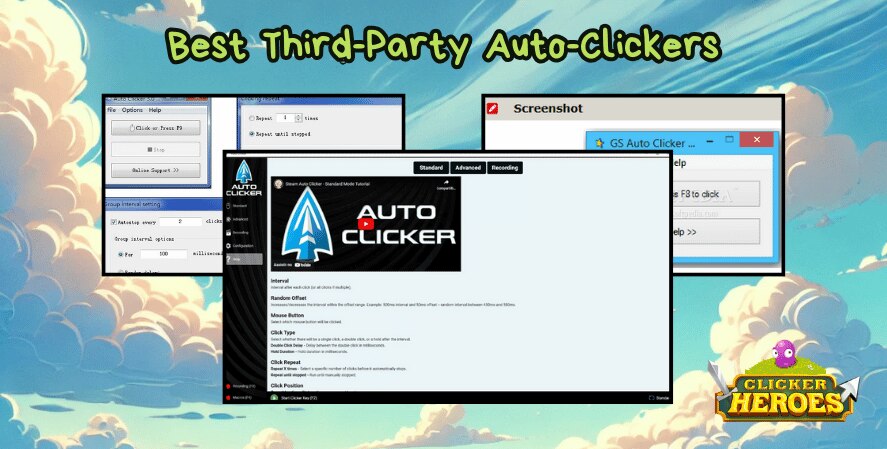
A third-party auto-clicker is software created by developers outside the game. These tools are separate from the game and must be downloaded onto your device. They’re widely used by gamers because they’re flexible and often free.
Let’s look at the best options for Clicker Heroes.
1. Auto Clicker on Steam
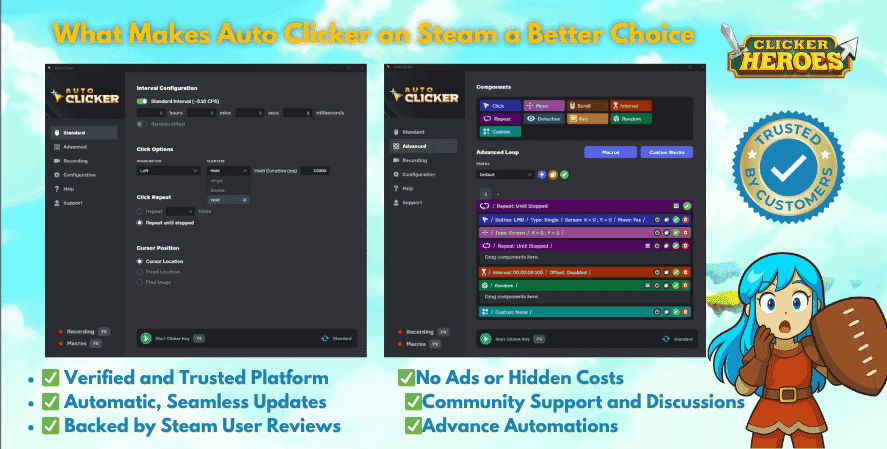
The Auto Clicker on Steam is one of the best and most trusted options for Clicker Heroes players. It’s highly rated, beginner-friendly, and designed for gaming.
Why It’s the Best for Clicker Heroes:
- Safe and Reliable: Available directly on Steam, which ensures it’s free of malware.
- Customizable Settings: Allows you to adjust click speed, intervals, and targets.
- Gaming Optimized: Designed to enhance gameplay for games like Clicker Heroes, ensuring smooth functionality.
- Multi-Game Use: While perfect for Clicker Heroes, you can also use it with other idle or clicker games.
Best Use: Automate repetitive tasks like attacking monsters or upgrading heroes.
2. GS Auto Clicker
- Why It’s Great: GS Auto Clicker is a beginner-friendly tool with a simple design. You can set it to click at any interval and activate it with a hotkey. It’s lightweight and doesn’t take much effort to set up.
- Best Use: Use it for basic tasks like farming gold or upgrading heroes.
3. Auto Clicker by Shocker
- Why It’s Great: Auto Clicker by Shocker offers more advanced features, like random click intervals, multi-click options, and scripting. The random click intervals make it harder for the game to detect that you’re using an auto-clicker.
- Best Use: Perfect for more complex tasks, such as managing hero upgrades while farming or activating abilities at specific times.
4. OP Auto Clicker
- Why It’s Great: OP Auto Clicker tool is lightweight, easy to use, and allows you to adjust the speed of clicks. It works on most games and is perfect for long gaming sessions.
- Best Use: Great for players who want something simple for overnight farming or grinding through tough levels.
Are Auto-Clickers Safe to Use?
Using an auto-clicker comes with some risks, especially in games like Clicker Heroes. It’s important to consider these factors:
Is an Auto-Clicker Cheating?
This depends on the game’s rules. Some games openly allow auto-clickers, while others see them as cheating. In Clicker Heroes, the developers offer their own in-game auto-clicker, so they may not support third-party tools. Using third-party auto-clickers could lead to account bans if the game detects them.
How to Stay Safe While Using Third-Party Tools
If you decide to use a third-party auto-clicker, follow these tips to minimize risks:
- Download From Trusted Sources: Always get your auto-clicker from reputable websites. Avoid downloading from unknown sources that could contain malware.
- Scan for Viruses: Use antivirus software to check the file before installing it.
- Choose Safe Settings: Avoid setting extremely fast click speeds. This can make the game suspicious and might lead to a ban.
- Use Random Intervals: Some tools, like Auto Clicker by Shocker, let you set random intervals between clicks. This makes it look more natural.
Clicker Heroes In-Game Auto-Clickers
Did you know Clicker Heroes has its own auto-clicker? You don’t need third-party tools to automate clicks in the game. Here’s what you need to know.
How to Get the In-Game Auto-Clicker
In Clicker Heroes, you can buy in-game auto-clickers using Rubies, the premium currency. Once purchased, they stay on your account permanently. You can assign them to specific tasks, like:
- Clicking enemies for damage.
- Collecting gold.
- Clicking on heroes for upgrades.
These auto-clickers are fully supported by the developers, so they’re completely safe to use.
Limitations of the In-Game Auto-Clicker
While the in-game auto-clicker is safe and easy to use, it does have some downsides:
- It only works when the game is active. If you minimize or close the game, it stops working.
- You need Rubies to buy it, which can take time to earn or require real money.
Third-Party vs. In-Game Auto-Clickers: Which Should You Choose?
Both options have their pros and cons. Here’s a quick comparison to help you decide:
Functionality
- Third-Party Tools: These can work in the background, even when the game is minimized. They can also be used for other tasks and games.
- In-Game Auto-Clicker: Limited to Clicker Heroes and requires the game to stay open.
Safety
- Third-Party Tools: There’s a risk of violating game rules or downloading malware if you’re not careful.
- In-Game Auto-Clicker: Fully supported and completely safe to use.
Cost
- Third-Party Tools: Most third-party tools are free to download and use. As a result, they remain a popular choice among Clicker Heroes players who want flexible automation options.
- In-Game Auto-Clicker: Requires Rubies, which can be earned or purchased.
If you want a safe and developer-approved option, go with the in-game auto-clicker. If you need more flexibility or don’t want to spend money, a third-party auto-clicker might be a better fit.
Best Auto-Clickers Comparison Table
| Auto-Clicker | Best For | Key Features | Free or Paid | Beginner Friendly |
|---|---|---|---|---|
| Auto Clicker on Steam | Clicker Heroes and idle games | Steam support, customizable clicks, trusted platform | Paid | Yes |
| GS Auto Clicker | Simple automation | Lightweight, hotkeys, easy setup | Free | Yes |
| Auto Clicker by Shocker | Advanced automation | Random intervals, scripting, multi-click options | Free | Moderate |
| OP Auto Clicker | Long farming sessions | Adjustable speed, lightweight design | Free | Yes |
| In-Game Auto-Clicker | Safe gameplay automation | Official Clicker Heroes support | Uses Rubies | Yes |
Tips for Using Auto-Clickers in Clicker Heroes
Here are some tips to make the most of your auto-clicker:
- Start Slow: Set reasonable click intervals to avoid overwhelming the game or being detected.
- Customize Settings: Adjust the click speed and intervals based on your needs. For example, use faster clicks during boss fights but slower ones when farming.
- Test First: Before running the auto-clicker for long periods, test it on a small task to make sure it works smoothly.
- Play Fair: Stick to the game’s rules to avoid penalties. If you’re unsure about using third-party tools, stick with the in-game option.
Frequently Asked Questions
Many players consider Auto Clicker on Steam one of the best options because it is beginner-friendly, reliable, and optimized for gaming.
Yes, auto-clickers are generally safe if downloaded from trusted sources. However, third-party tools may still violate some game rules.
Yes. Clicker Heroes includes an official in-game auto-clicker that can be purchased using Rubies.
Yes. Auto-clickers help automate repetitive clicking, which can improve farming speed, hero upgrades, and overall progression in idle games.
The built-in Clicker Heroes auto-clicker is the safest option. Meanwhile, beginner-friendly tools like GS Auto Clicker are also popular among new users.
Conclusion
Auto-clickers can make Clicker Heroes easier and more enjoyable by automating repetitive tasks like attacking enemies and upgrading heroes. Additionally, they help players progress faster without spending hours clicking manually.
If you want a flexible solution, third-party tools such as GS Auto Clicker and OP Auto Clicker are great options. On the other hand, the built-in auto-clicker offers a safer and developer-supported experience.
Before choosing a tool, think about your playstyle, goals, and preferred level of automation. Most importantly, use auto-clickers responsibly so you can continue enjoying the game without issues.
Whatever you choose, remember to play responsibly and have fun!