Losing your progress in Clicker Heroes can feel brutal.
Many players run into this problem after crashes, browser resets, or switching devices.
Since this is one of those classic idle clicker games, your progress depends entirely on saved data. If that data disappears, your run is gone.
And that can mean a lot, including losing long-term progress, all your hero upgrades, levels, gilded heroes, and relics.
For a game built around steady growth, losing everything can be frustrating.
The good news is that there are ways to recover lost game save data in some situations, especially if you understand how to recover lost game progress correctly.
In this Clicker Heroes guide, you will learn how the save system works, all possible Clicker Heroes save recovery methods, and how to protect your progress in the future.
Common Scenarios Where Saves Are Lost
Save loss in the Clicker Heroes game usually happens due to a few common issues. Knowing these can help you both recover and avoid losing progress again.
Here are the most frequent causes:
- Game crashes during auto-save: If the game crashes while saving, your data can become corrupted.
- Browser cache or cookies cleared: In clicker games online, saves are often stored in browser data, which gets wiped when the cache is cleared.
- Switching devices without syncing: Moving between PC, mobile, or browsers without exporting your save can lead to missing progress.
- Steam Cloud sync conflicts: The Cloud may overwrite your current save with an older version.
- Corrupted save files: Errors during saving or loading can damage your save file.
- Reinstalling the game without backup: Removing the game can delete local save data if no backup exists.
- Playing in incognito or private mode: Browser sessions in private mode do not retain saved data after closing.
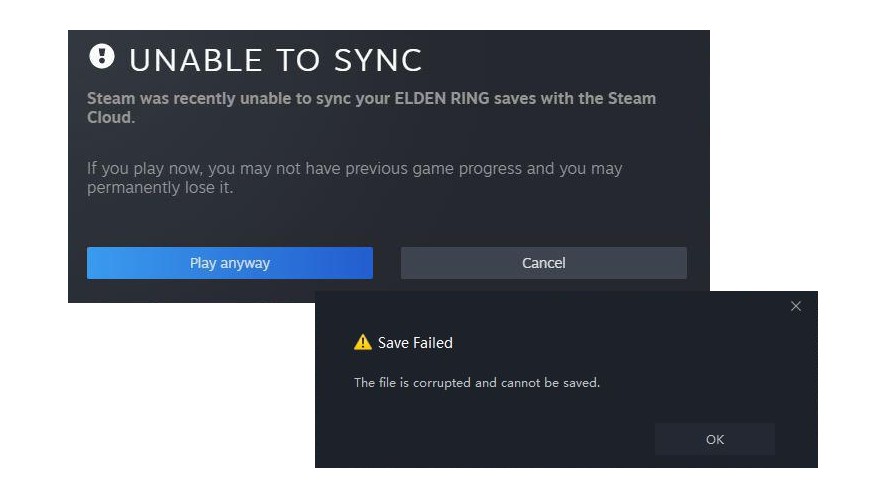
These issues are common across many incremental games, not just Clicker Heroes.
Up next, we will break down how the save system works so you can better understand how to recover your progress.
How Clicker Heroes Saves Work Across Platforms
Different versions of the Clicker Heroes game store data in different ways, and that affects your recovery options.
Browser Version (Web Save System)
The browser version is common for players who enjoy clicker games online.
Your progress is saved in your browser using local storage (cookies/localStorage). This means everything stays on your device, not on a server.
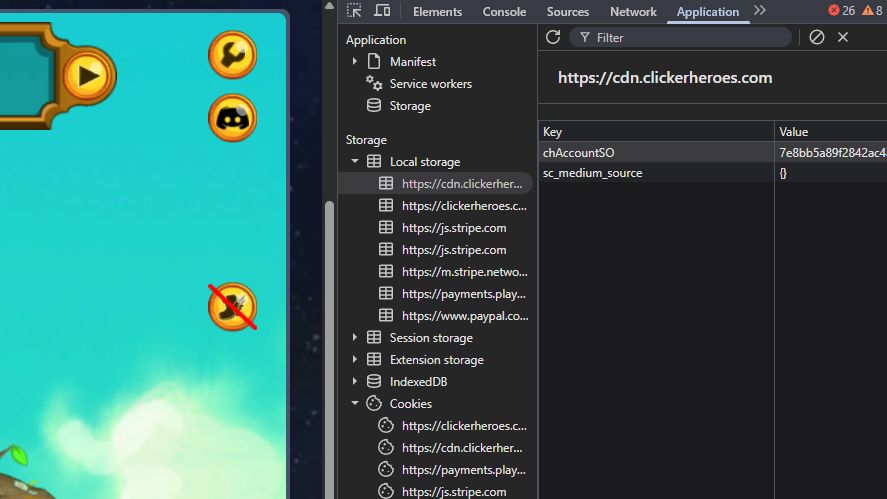
The risks include:
- Clearing the cache wipes your save completely
- Different browsers = different saves (For example, Chrome and Firefox do not share data)
- No automatic cloud backup unless you manually use the Clicker Heroes export feature
Because of this, browser saves are the most fragile in many idle clicker games.
Steam Version (Cloud + Local Save)
The Steam version is more stable and is popular among players who treat the game like a long-term idle RPG.
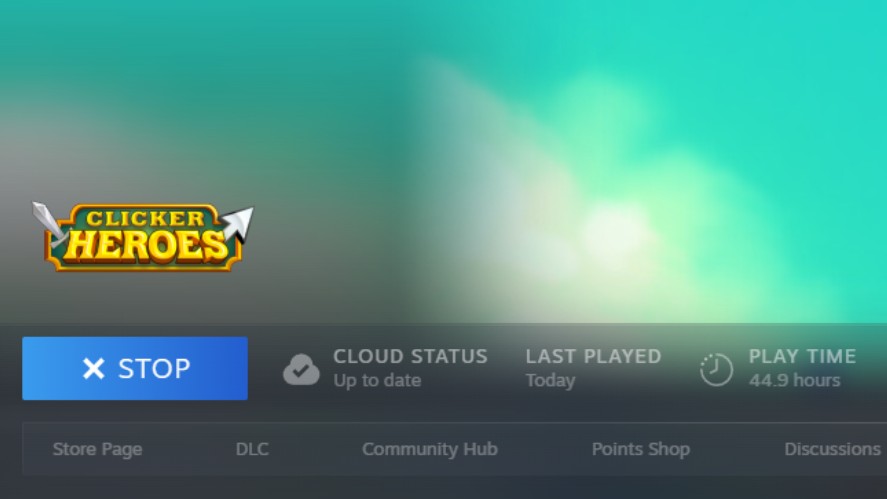
It uses two types of storage:
- Local save files stored on your PC
- Steam Cloud synchronization to back up your progress online
The risks are:
- Cloud overwrite errors can replace your current save with an older one
- Sync conflicts between devices may cause progress loss if not resolved properly
Even with cloud support, save issues can still happen in some of the best clicker games.
Mobile Version (iOS/Android)
On mobile, saves are tied to both your device and your account system.
Your progress is stored in:
- Device storage (local data on your phone)
- Platform cloud services like Google Play Games or iCloud
The risks:
- Deleting the app without cloud sync can remove your save
- Switching devices without transferring data may result in lost progress
Mobile saves are safer than browser saves, but they still require proper syncing to avoid losing progress in this idle hero clicker game.
All Possible Clicker Heroes Save Recovery Methods
If your progress is gone, don’t panic yet.
There are several ways to perform a Clicker Heroes save recovery, depending on your platform and what backups you have.
1. Importing a Previously Exported Save (Most Reliable)
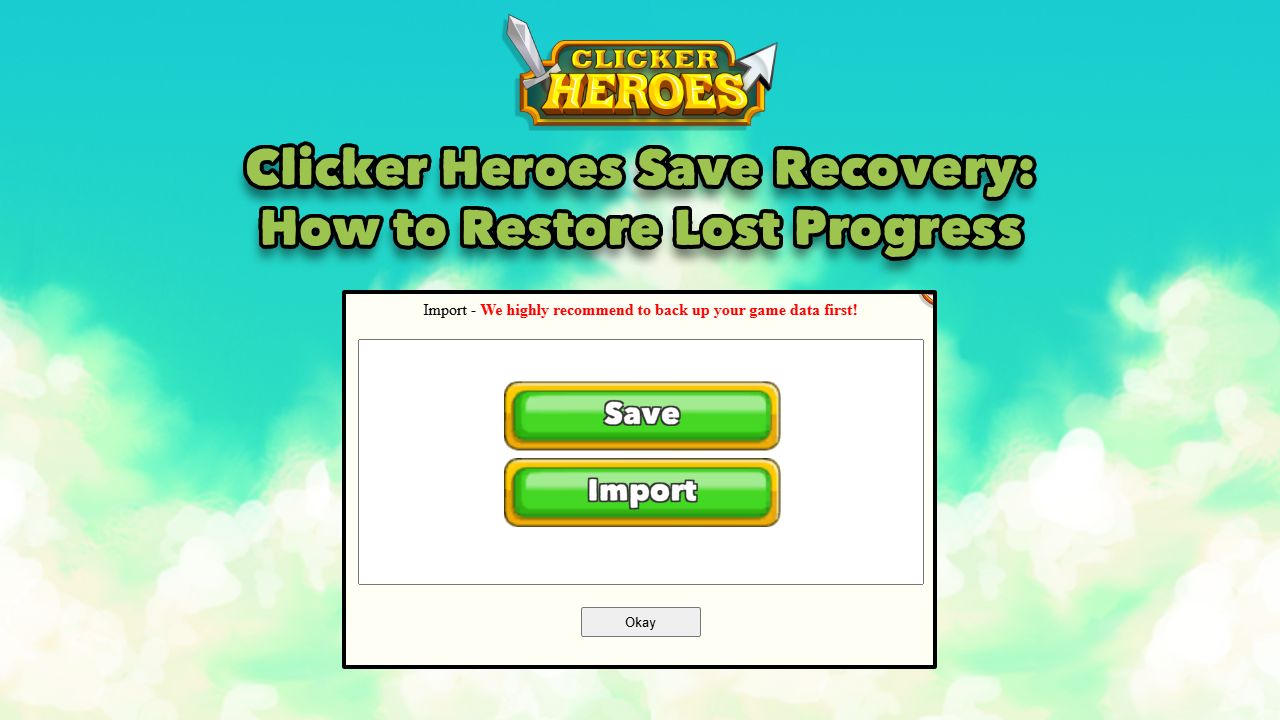
If you previously used the Clicker Heroes export feature, you can restore everything in seconds.
Here’s how to do it:
- Open the game > go to Settings > click Import
- Paste your saved string
- Confirm and load your progress
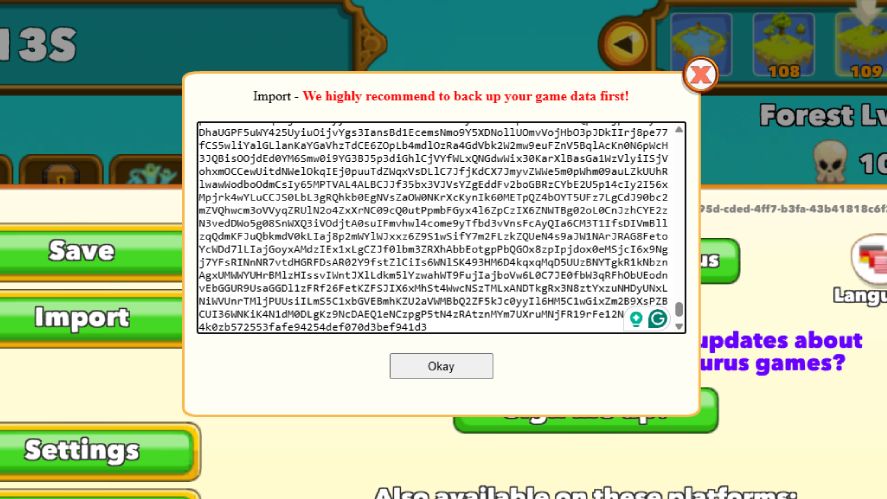
This works across all platforms and is the number one way to fix a Clicker Heroes game save lost issue.
For more detailed steps, check out Clicker Heroes Save Export and Import: Step-by-Step Tutorial.
2. Checking Clipboard History
Sometimes your last exported save is still copied. If you recently exported your save, it might still be in your clipboard history.
Use clipboard manager tools (Windows or Android apps), and look for a long encoded string. Then, paste it into the Clicker Heroes import save code field.
This method can save you if you forgot to store your export manually.
3. Recovering from Browser Storage
This is a more advanced method for browser players.
Here’s how to do it:
- Open your browser’s developer tools (F12)
- Go to the Application/Storage tab
- Locate localStorage entries for the game
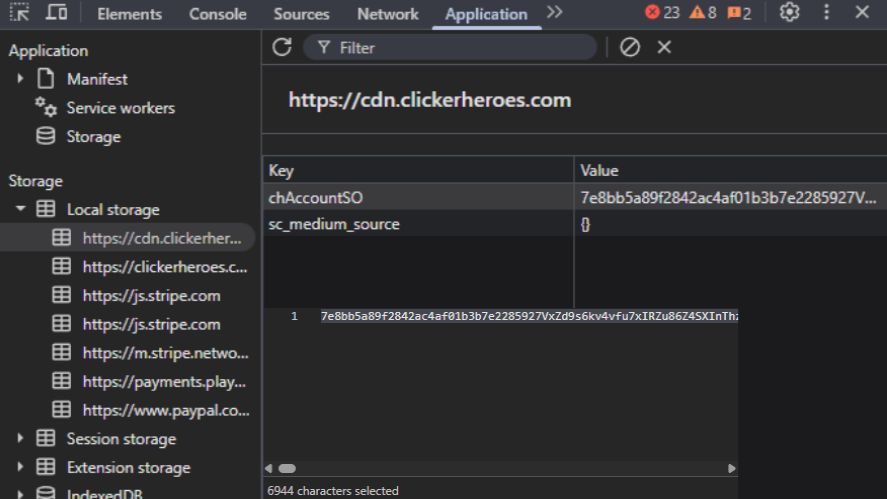
If the data is still there and not overwritten, you may be able to recover your save.
This only works in some cases and is common in clicker games online that store local data.
4. Steam Cloud Recovery
If you are playing on Steam, you have more recovery options.
Try disabling Steam Cloud temporarily and locating your save files in the Steam userdata folder. Next, look for older versions of your save and restore a previous version if available.
You may also need to manually resolve sync conflicts to prevent overwriting your progress again.
5. Using Backup Files (Manual or Automatic)
Some systems create backup files automatically.
So, check the game installation folder or temp directories. If you find an older save, you can replace the corrupted file and restore your progress.
This method is useful for players who manually manage their saves in incremental games.
6. Mobile Cloud Restore
For mobile players, cloud syncing can help recover your data.
To restore your Clicker Heroes save, reinstall the game. Then, log in to your account (Google Play Games or iCloud). Finally, restore your synced progress.
This works only if cloud sync was enabled before the save was lost.
7. Community Tools & Save Editors (Advanced)
There are community tools like a Clicker Heroes save editor that can help in some cases.
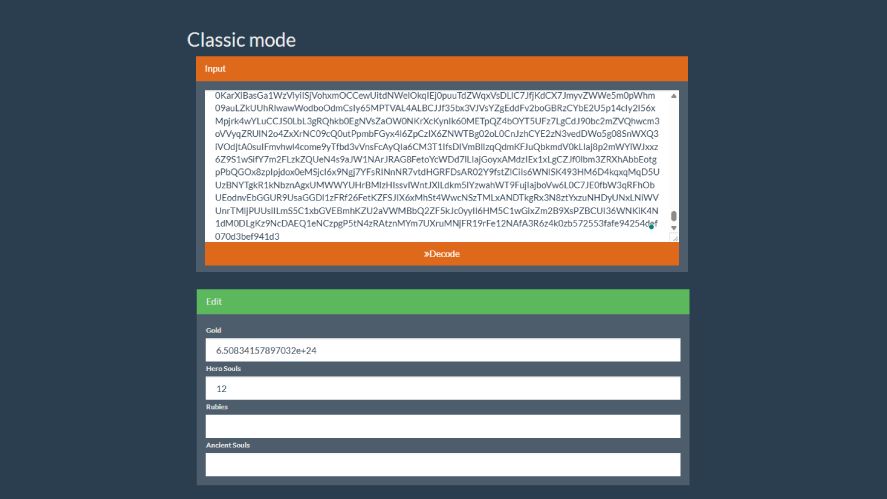
These tools may allow you to repair corrupted save files and reconstruct parts of your progress.
However, use them carefully. There is always a risk of further data loss if used incorrectly.
8. Contacting Developer Support
As a last option, you can contact the developers, Playsaurus.
Provide as much detail as possible, including:
- Your approximate progress
- The platform you played on
- What caused the issue
Clicker Heroes save recovery is not guaranteed, but in some cases, support may be able to help restore parts of your progress.
Preventing Save Loss in Clicker Heroes
Recovering progress is not always guaranteed, so the best strategy is to prevent save loss in the first place.
A few simple habits can protect your progress in the Clicker Heroes game and other idle clicker games.
Always Export Your Clicker Heroes Save Recovery Regularly
The safest habit is to export your save often.
Every time you finish a session, copy your save string using the export feature. This ensures you always have a backup ready.
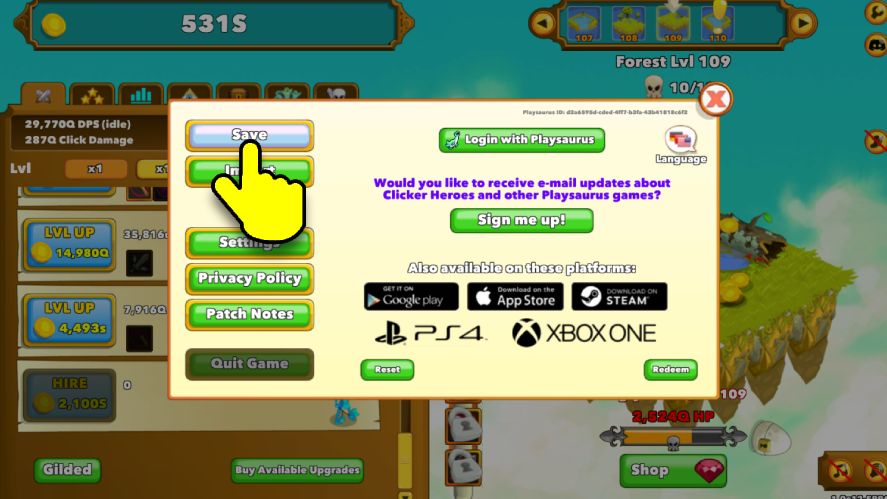
Store it in safe places like Notes app, Cloud storage, or email draft.
This simple step is the most effective way to avoid a full Clicker Heroes game save lost situation.
Use Multiple Backup Locations
Never rely on a single backup. If one copy fails or gets deleted, you still have others to restore from.
Recommended backup options include:
- Local file on your PC
- Cloud storage (like Google Drive)
- Screenshot of your save string
Using multiple backups is a common strategy in many incremental games to protect long-term progress.
Avoid Risky Actions
Some actions can easily wipe your save if you are not careful.
For example, you should avoid:
- Clearing the browser cache without exporting your save
- Playing in incognito or private mode
- Closing the game while it is saving
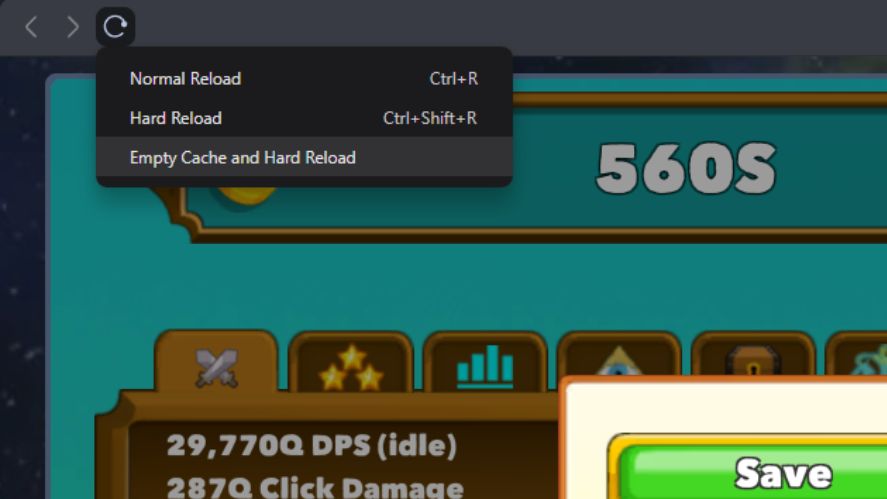
These mistakes are one of the main reasons players need to recover lost game save data.
Enable Steam Cloud Properly
If you are playing on Steam, make sure cloud sync is working correctly.
Always let the sync complete before closing the game, and avoid playing offline on multiple devices at the same time.
Proper setup reduces the risk of sync conflicts and helps protect your progress.
Using Import & Export System Effectively
The import and export system is your most powerful tool to prevent and fix a Clicker Heroes game save lost issue.
Learning how to use it properly will make saving and restoring progress much easier.
How Exporting Works
When you export your save, the game generates a long encoded string. This string contains all your progress, including:
- Heroes and levels
- Gold and resources
- Zone progression
- Ancients and upgrades
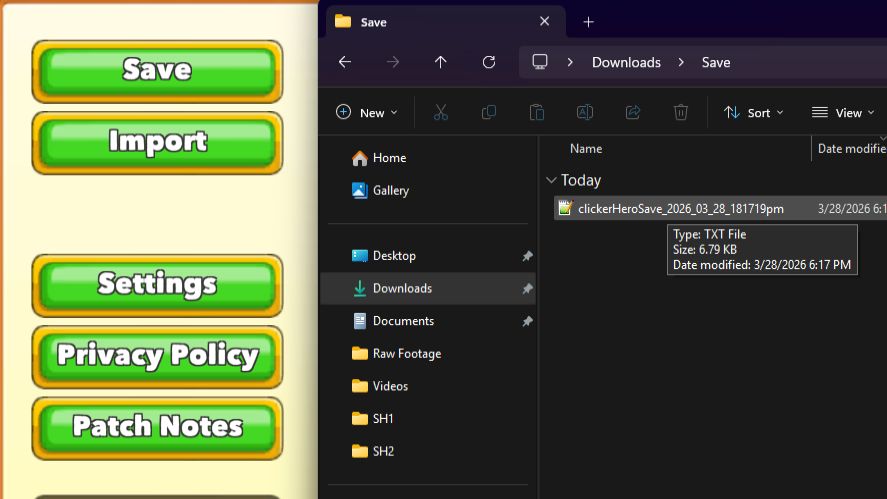
You can copy this string and store it anywhere. Later, you can use the Clicker Heroes import save code feature to restore everything instantly.
Best Practices for Exporting Saves
To stay safe, you should export your save regularly. Always export your save:
- Before closing the game
- Before reinstalling
- Before switching devices
These habits are essential in many idle clicker games where progress depends entirely on saved data.
How to Safely Import Saves
Importing is simple, but you need to be careful.
Before importing, always check if the correct save string is copied and there are no extra spaces or missing characters.
Playsaurus Account & Future-Proofing Saves
If you play Clicker Heroes, you have probably seen the login or register option for a Playsaurus Account.
It might seem optional at first, but it can make a big difference when it comes to protecting your progress and avoiding a Clicker Heroes game save lost situation.
Is There an Account System?
Yes, Clicker Heroes does have a Playsaurus Account system, but it is limited.
A Playsaurus Account is a free login that lets you save your progress online instead of only on your device. This means your data is stored in the cloud and can be recovered if something goes wrong.
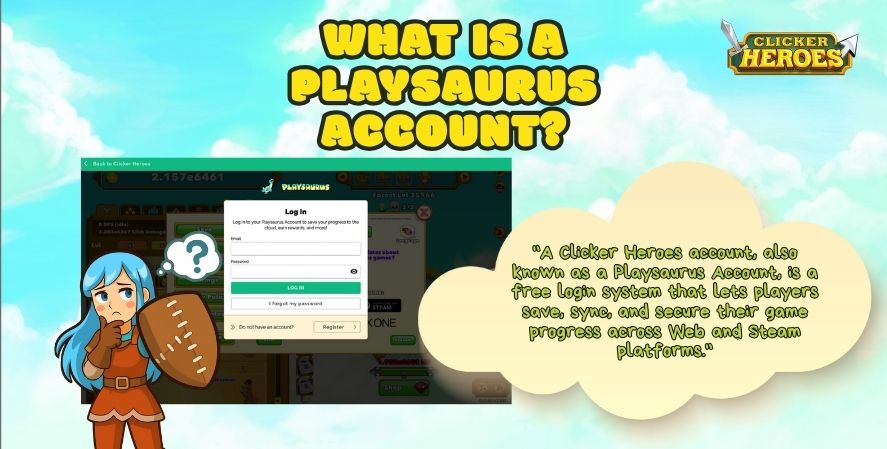
However, there are a few limitations:
- It works only on Web and Steam versions
- Not available on mobile (iOS / Android) yet
- Does not fully replace manual backups
Even with these limits, it is still one of the safest ways to protect your progress in this idle RPG.
Why Account Systems Matter
Using a Playsaurus Account gives you several important benefits, such as:
- Cross-platform syncing
- Reduced risk of local data loss
- Easier recovery
This is especially useful in idle clicker games, where progress builds over time and losing it can be frustrating.
Workarounds Until Full Account Sync Exists
Even with a Playsaurus Account, you should not rely on one system alone. The best approach is to combine different methods.
Until a full account system is available on all platforms, manual export/import remains essential for protecting your progress.
Read More: Auto Clicker for Clicker Heroes: How to Automate Your Game
Advanced Tips for Data Safety with Clicker Heroes Save Recovery
If you want to fully protect your progress, a few advanced habits can make a big difference.
These gaming tips go beyond basic backups and help you handle a Clicker Heroes save recovery situation completely.
Automating Backups
Manual backups work, but automation makes things safer.
You can use tools to save your data without thinking about it. For example, clipboard auto-save apps can store your export strings automatically.
On top of that, scheduled backups for Steam save files on your PC also help.
This is especially useful for players who spend a lot of time in idle clicker games and don’t want to risk losing long sessions of progress.
Versioning Your Saves
Instead of keeping just one backup, keep multiple versions.
For example:
- Save_v1
- Save_v2
- Save_v3
This helps if your latest save becomes corrupted. You can go back to an older version and recover most of your progress.
Testing Saves Periodically
A backup is only useful if it works.
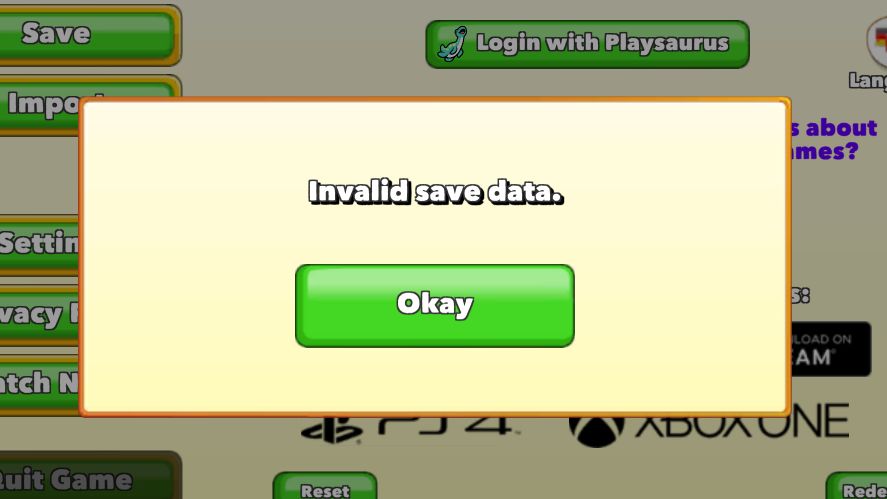
From time to time, try importing one of your saved files and check if the progress loads correctly.
This ensures your backups are valid and ready to use if you ever need to recover lost game save data in the future.
Frequently Asked Questions (FAQ)
Sometimes you can recover a save without a backup, but it is not guaranteed. In some cases, players are able to restore progress through Steam Cloud or by accessing browser storage data. However, if the data has already been overwritten or deleted, recovery may not be possible.
A sudden reset usually happens because something interrupted the save system. The most common causes include clearing your browser cache, a cloud sync overwrite on Steam, or a crash during the auto-save process.
Save editing can be safe if you are using trusted tools and understand what you are doing. A reliable Clicker Heroes save editor can help fix or adjust your progress, but mistakes can also corrupt your save. It is always important to create a backup before making any changes.
Yes, you can transfer your progress between platforms using the import and export system. By copying your save string and using the Clicker Heroes import codes, you can move your progress between browsers, Steam, and other supported versions.
Final Thoughts
Losing progress in Clicker Heroes is frustrating, but it is often preventable.
The export/import system is your best defense against a Clicker Heroes lost issue. By using regular backups, cloud syncing, and safe habits, you can protect your progress long-term.
In a game built around steady growth like this idle RPG, keeping your save safe is just as important as your gameplay strategy.